84 posts tagged with "Grad School"

Graduate Shool - ASU

View All Tags

TouchDesigner Concepts for Projection Mapping

· 3 min read
Matthew Ragan
Pixel Pusher

This coming year at ASU I'll be working on a project with several talented artists and media Makers on a project that's tentatively being called "WonderDome." As Dan Fine's thesis project he's exploring what it means to create a playing space that exists inside of a dome of projection. The audience and performer will share a single immersive media environment where a story will be told with puppets, video, and just about all the theatre magic you can imagine. Central to this endeavor are questions about immersive media systems and how to approach the complex issue of mesh warping media for a curved surface that's being ditched together with somewhere between six to eight projectors.
Live Camera as Mask | TouchDesigner

· 5 min read
Matthew Ragan
Pixel Pusher


Back in May I wrote a quick piece about how to use a camera as a mask in Isadora. This is a very powerful technique for working with live cameras, and no matter how many times I see it I'm still struck by how fun it is. This isn't difficult to program, and one of the questions I wanted to answer this summer was how to create a network in TouchDesigner that could accomplish the same process. Before we get started it's going to be important to make sure that you have a camera (a web-cam is fine) connected to your computer. While you can create this same effect using any recorded footage, it's certainly more compelling and playful when you're working with a live camera. You'll also want to make sure that you know how the feedback TOP works in Touch Designer. If you're new to this programming environment you might take a moment to read through how to work with the feedback TOP here.

Production image

The Feedback TOP | TouchDesigner

· 5 min read
Matthew Ragan
Pixel Pusher

This afternoon I've been playing with how to recreate an effect in TouchDesigner that I've used in several works already. Video feedback is a great tool to have an understanding of when working with live performers and live cameras. While I have a strong sense of how to create the effects I'm after in Isadora or AfterEffects, creating the same look in TouchDesigner is a little less intuitive than I thought it might be. With that in mind, let's look at how to create a simple video feedback effect in order to have a deeper understanding of the Feedback Texture Operator (TOP) works.

Getting Started

You can create this simple string anywhere on some open network space in TouchDesigner. While you're welcome to open up a new project, you certainly don't have to. In order to keep my network a little more tidy while I was working through how this TOP worked, I created a new container, and isolated this network in here for the sake of my own sanity.

Visualizing OSC Data | TouchDesigner

· 17 min read
Matthew Ragan
Pixel Pusher

After looking at how to work with accelerometer data in Isadora in an earlier post, I thought it might also be worth looking at how to approach the same challenge working with Derivative's TouchDesigner. In the Spring of 2013, for an installation piece, I used TouchDesigner to create a sculpture with a reactive projection component. While I learned a lot about working with TouchOSC in the process, I didn't spend much time really digging into understanding what kind of data I was getting out of my sensor – in this case I'm using an iPod Touch running TouchOSC, broadcasting data over a wireless network. This type of sensor is one that I hope to use in future live performances, and so spending some time really digging into what the detects is an area of interest for me.

Production image

Understanding Accelerometer Data | Isadora

· 10 min read
Matthew Ragan
Pixel Pusher

This summer, as I'm thinking about future production work for the coming years, I've started to consider what kind of live data I want to be able to use in the context of live performance. To that end, one of the more interesting sensors worth examining are accelerometers. While there are lots of ways to work with these seniors, a simple way to get started is to use an iPhone or iPod touch to broadcast it's data over a wireless network. In a project that I tackled in the Spring of 2013 I used this technique when working with TouchDesigner on a piece of installation art.

Production image

Lessons from the Road

· 10 min read
Matthew Ragan
Pixel Pusher

You need a tech rider.

Better yet, you need a tech rider with diagrams, specific dimensions, and clear expectations.

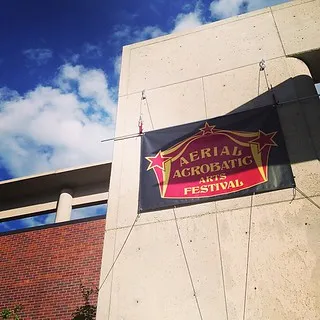
In early June I was traveling with my partner, Lauren Breunig, to an aerial acrobatics festival in Denver, Colorado. Lauren is an incredibly beautiful and talented aerialist. One of the apparatuses that she performs on is what she calls "sliding trapeze." This is essentially a trapeze bar with fabric loops instead of ropes.

Production image

House of Escher | Media Design

· 6 min read
Matthew Ragan
Pixel Pusher

In December of 2012 I was approached at an ASU School of Theatre and Film party and asked if I would be interested in working on a project that would begin the following semester, and premiere a new work in the Fall of 2013. As this is exactly the kind of opportunity that I came to ASU to peruse, I eagerly agreed to be a part of the project.

Production image

A Variety of Approaches | Lessons from Grad School

· 8 min read
Matthew Ragan
Pixel Pusher

I'm learning a lot in grad school. Some of the lessons that I'm learning are consistent with my goals and aspirations, some are lessons about realigning my expectations with reality, and some are unexpected discoveries about the nature of a discipline's approach. As an interdisciplinary student my coursework is a purposeful patchwork from multiple departments and schools. This approach means that I'm fortunate to see the world through multiple lenses, and it also means that at times I'm a servant to many masters. In my case, I've seen the approach of the school of Art (in my second semester I took a media and sculpture course), AME (this stands for Arts, Media + Engineering), and the School of Theatre and Film.

Production image

Isadora | Slider Basics

· 10 min read
Matthew Ragan
Pixel Pusher

One of the most exciting (and also most challenging) parts of working with Isadora is thinking about how an operator is going to use your patch during a show. ASU's program focuses on the importance of programming a show with the expectation that the person running your system may, or may not, have much experience. During the tech rehearsal process one of the Media Designer's responsibilities is to train the operator with basic operation and trouble shooting techniques.

While there are a wide variety of methods for controlling your system I want to take a moment to cover how you can use the Control Panel features of Isadora to create a simple custom interface. I'm also going to take a moment to talk about the different kinds of controls, how they work, and things you want to keep in mind as you're using them.

Production image