12 posts tagged with "Isadora"

Posts about using Isadora in production

View All Tags

Shuffling Words Around | Isadora

· 6 min read
Matthew Ragan
Pixel Pusher

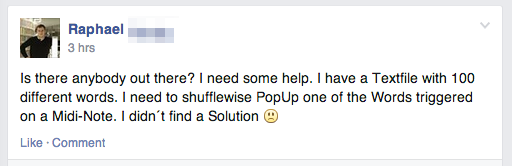
About a month ago I was playing about in Isadora and discovered the Text/ure actor. Unlike some of the other text display actors, this one hides a secret. This actor lets you copy and paste into a whole block of text that you can then display one line at a time. Why do that? Well, that's a fine question, and at the time I didn't have a good reason to use this technique, but it seemed interesting and I tucked it into the back of my mind. Fast forward a few months, and today on the Facebook group – Isadora User Group (London) – I see the following call for help:
Production image

Understanding Accelerometer Data | Isadora

· 10 min read
Matthew Ragan
Pixel Pusher

This summer, as I'm thinking about future production work for the coming years, I've started to consider what kind of live data I want to be able to use in the context of live performance. To that end, one of the more interesting sensors worth examining are accelerometers. While there are lots of ways to work with these seniors, a simple way to get started is to use an iPhone or iPod touch to broadcast it's data over a wireless network. In a project that I tackled in the Spring of 2013 I used this technique when working with TouchDesigner on a piece of installation art.

Production image

Isadora | Slider Basics

· 10 min read
Matthew Ragan
Pixel Pusher

One of the most exciting (and also most challenging) parts of working with Isadora is thinking about how an operator is going to use your patch during a show. ASU's program focuses on the importance of programming a show with the expectation that the person running your system may, or may not, have much experience. During the tech rehearsal process one of the Media Designer's responsibilities is to train the operator with basic operation and trouble shooting techniques.

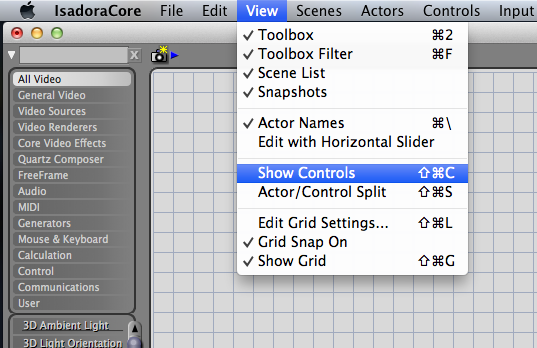
While there are a wide variety of methods for controlling your system I want to take a moment to cover how you can use the Control Panel features of Isadora to create a simple custom interface. I'm also going to take a moment to talk about the different kinds of controls, how they work, and things you want to keep in mind as you're using them.

Production image

Isadora | Live-Camera Input as a Mask

· 3 min read
Matthew Ragan
Pixel Pusher

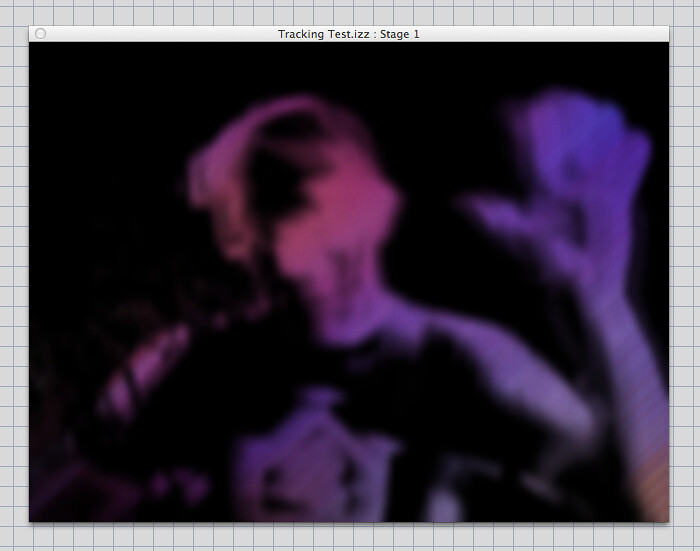
Back in March I had an opportunity to see a production called Kindur put on by the Italian Company Compagnia TPO. One of the most beautiful and compelling effects that they utilized during the show was to use a live-camera to create a mask that revealed a hidden color field. The technique of using a live feed in this way allows a programmer to work with smaller resolution input video while still achieving a very fluid and beautiful effect.

Production image

Isadora | Network Control

· 3 min read
Matthew Ragan
Pixel Pusher

For an upcoming show one of the many problems that I'll need to solve is how to work with multiple machines and multiple operating systems over a network. My current plan for addressing the needs of this production will be to use one machine to drive the interactive media, and then to client two computers for cued media playback. This will allow me to distribute the media playback over several machines while driving the whole system from a single machine. My current plan is to use one Mac Pro to work with live data while slaving two Windows' 7 PCs for traditionally cued media playback. The Mac Pro will drive a Barco, while the PC's each drive a Sanyo projector each. This should give me the best of both worlds in some respects. Distributed playback, similar to WatchOut's approach to media playback, while also allowing for more complex visual manipulation of live-captured video.

TouchDesigner | Sculpture

· 5 min read
Matthew Ragan
Pixel Pusher

In the ever growing list of tools that I'm experimenting with Derivative's TouchDesigner is a tool that time and again keeps coming up as something that's worth learning, experimenting with, and developing competencies around it's work flow. TD is a nodal environmental called a network. Inside of the network nodes can be directly connected by by exporting parameters.

Production image

Phase 2 | Halfway House

· 9 min read
Matthew Ragan
Pixel Pusher

Media design is an interesting beast in the theatre. Designers are called upon to create digital scenery, interactive installations, abstract imagery, immersive environments, ghost like apparitions, and a whole litany of other illusions or optical candy. The media designer is part system engineer, part installation specialist, and part content creator. This kind of design straddles a very unique part of the theatrical experience as it sits somewhere between the concrete and the ephemeral. We're often asked to create site specific work that relates to the geometry and architecture of the play, and at the same time challenged to explore what can be expressed through sound and light.