Daily Art 12-20-2016
· One min read
Posts about working with TouchDesigner and using it in production environments
View All Tags
File this away under “interesting theoretical concepts that I'll never use… or will I?”
At some point while making realtime generative art for massive installations you may find that you're beyond the capabilities of traditional realtime rendering in Touch. Let's say, for example, that you need to render 12 hd outputs for a 3 x 4 array of screens – a resolution of 7680 x 3240 certainly can be done with a single render TOP, but delivering that final texture is a little more tricky.
I'm well aware that there are a number of possible solutions to this problem but before you find yourself composing that email to me about how to hack a way to a solution… what if it wasn't 12 ouputs, what if it was 120? 200? What if every output was 4k? The answer we're really after here is how to draw a scene with consistent perspective across multiple machines… because at some point you'll have to use multiple machines. So, what do we do?
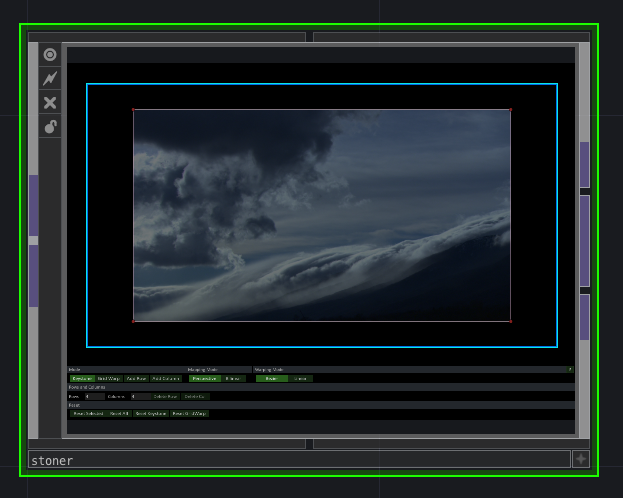
Here's our second stop in a series about planning out part of a long term installation's UI. We'll focus on looking at the calibration portion of this project, and while that's not very sexy, it's something I frequently set up gig after gig – how you get your projection matched to your architecture can be tricky, and if you can take the time to build something reusable it's well worth the time and effort. In this case we'll be looking at a five sided room that uses five projectors. In this installation we don't do any overlapping projection, so edge blending isn't a part of what we'll be talking about in this case study
As many of you have already found there's a wealth of interesting examples and useful tools tucked away in the palette in touch designer. If you're unfamiliar with this feature, it's located on the left hand side of the interface when you open touch, and you can quickly summon it into existence with the small drawer and arrow icon:
Here's our first stop in a series about planning out part of a long term installation's UI. We'll focus on looking at the calibration portion of this project, and while that's not very sexy, it's something I frequently set up gig after gig – how you get your projection matched to your architecture can be tricky, and if you can take the time to build something reusable it's well worth the time and effort. In this case we'll be looking at a five sided room that uses five projectors. In this installation we don't do any overlapping projection, so edge blending isn't a part of what we'll be talking about in this case study.
How you build a thing matters. Ask any architect, chef, crafts person, quilter, and on and on and on. The principles and ideas that drive how you're building your network matter, and as a full disclaimer I am a misery to collaborate with when it comes to messy TouchDesigner networks and messy directories. “As long as it works, it doesn't matter Matt!” Is the mantra I often hear as a push back to my requests for organized work. There's a lot of truth in that, but if you ever have to work with another person (or work with your future self) then the organization of your work will matter. Cluttered, messy, or disorganized structures will make a world of misery for you and your collaborators. You can do whatever you want at the end of the day, but my strong recommendation is that you create some guiding principles for your organization structures, network layout, documentation, and pending todo items on a project.
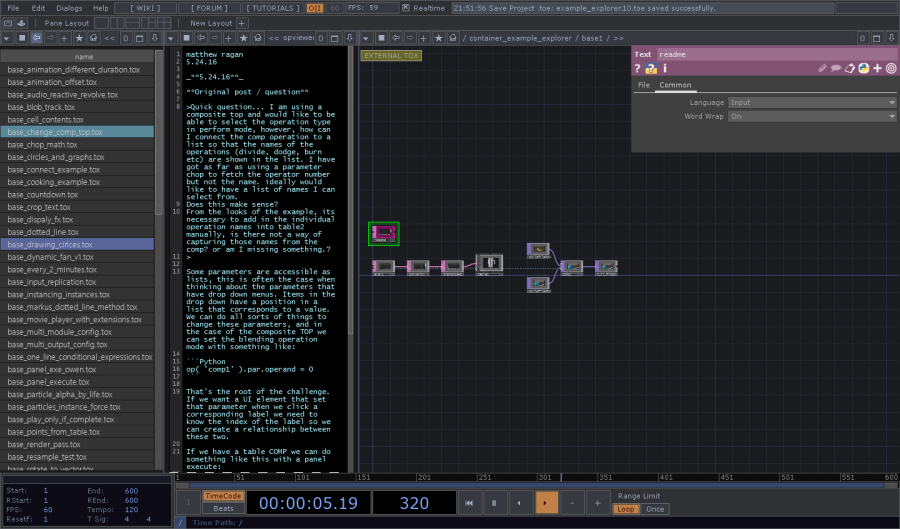
https://github.com/raganmd/td_fb_forum_examples
New TouchDesigner tool for those of you looking to meander through some examples.