105 posts tagged with "TouchDesigner"

Posts about working with TouchDesigner and using it in production environments

View All Tags

Interface Building – Execute DATs | TouchDesigner

· 8 min read
Matthew Ragan
Pixel Pusher

Sometimes it's easy to forget about the most obvious features of a device. In my case, I finally decided to do some investigating about the nature and function of the LAN port on the back of an InFocus 2116. It is not uncommon to see projectors with network access ports these days but I had always assumed that they only worked with the access software that the manufacturer is looking to sell / distribute. InFocus produces a free piece of software called ProjectorNet that's designed to give system admins quick access to the settings and status of connected projectors. This seems like a handy piece of software, but just wasn't something I had been in a position to review or experiment with. Last week when I finally gave myself some time to look at my LAN options for this InFocus, I noticed something when I booted up the machine – in a rather unassuming way, the projector was listing an IP address on the lamp-up screen.

Production image

Multiple Windows | TouchDesigner

· 4 min read
Matthew Ragan
Pixel Pusher

For an upcoming project that I'm working on our show control needs to be able to send out video content to three different projectors. The lesson I've learned time and again with TouchDesigner is to first start by looking through their online documentation to learn about what my options are, and to get my bearings. A quick search of their support wiki landed me on the page about Multiple Monitors.

Production image

TouchDesigner | Import from a System Folder

· 10 min read
Matthew Ragan
Pixel Pusher

One of the handy building blocks to have in your arsenal as you're working with any media system is an understanding of how it works with system folders. Isadora, for example, pulls assets from the folder specified when you load the original file. This means that you can change an asset, save it with the same name and in placing it in the proper system folder your changes show up without having to re-import any files. What then, if I want to automatically pull files from a folder on my computer? In TouchDesigner that's a relatively simple thing to accomplish without too much work. Better yet, the underlying principles open up a lot of much more interesting possibilities.

Production image

TouchDesigner Concepts for Projection Mapping

· 3 min read
Matthew Ragan
Pixel Pusher

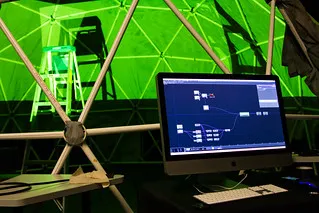
This coming year at ASU I'll be working on a project with several talented artists and media Makers on a project that's tentatively being called "WonderDome." As Dan Fine's thesis project he's exploring what it means to create a playing space that exists inside of a dome of projection. The audience and performer will share a single immersive media environment where a story will be told with puppets, video, and just about all the theatre magic you can imagine. Central to this endeavor are questions about immersive media systems and how to approach the complex issue of mesh warping media for a curved surface that's being ditched together with somewhere between six to eight projectors.

Live Camera as Mask | TouchDesigner

· 5 min read
Matthew Ragan
Pixel Pusher


Back in May I wrote a quick piece about how to use a camera as a mask in Isadora. This is a very powerful technique for working with live cameras, and no matter how many times I see it I'm still struck by how fun it is. This isn't difficult to program, and one of the questions I wanted to answer this summer was how to create a network in TouchDesigner that could accomplish the same process. Before we get started it's going to be important to make sure that you have a camera (a web-cam is fine) connected to your computer. While you can create this same effect using any recorded footage, it's certainly more compelling and playful when you're working with a live camera. You'll also want to make sure that you know how the feedback TOP works in Touch Designer. If you're new to this programming environment you might take a moment to read through how to work with the feedback TOP here.

Production image

The Feedback TOP | TouchDesigner

· 5 min read
Matthew Ragan
Pixel Pusher

This afternoon I've been playing with how to recreate an effect in TouchDesigner that I've used in several works already. Video feedback is a great tool to have an understanding of when working with live performers and live cameras. While I have a strong sense of how to create the effects I'm after in Isadora or AfterEffects, creating the same look in TouchDesigner is a little less intuitive than I thought it might be. With that in mind, let's look at how to create a simple video feedback effect in order to have a deeper understanding of the Feedback Texture Operator (TOP) works.

Getting Started

You can create this simple string anywhere on some open network space in TouchDesigner. While you're welcome to open up a new project, you certainly don't have to. In order to keep my network a little more tidy while I was working through how this TOP worked, I created a new container, and isolated this network in here for the sake of my own sanity.

Visualizing OSC Data | TouchDesigner

· 17 min read
Matthew Ragan
Pixel Pusher

After looking at how to work with accelerometer data in Isadora in an earlier post, I thought it might also be worth looking at how to approach the same challenge working with Derivative's TouchDesigner. In the Spring of 2013, for an installation piece, I used TouchDesigner to create a sculpture with a reactive projection component. While I learned a lot about working with TouchOSC in the process, I didn't spend much time really digging into understanding what kind of data I was getting out of my sensor – in this case I'm using an iPod Touch running TouchOSC, broadcasting data over a wireless network. This type of sensor is one that I hope to use in future live performances, and so spending some time really digging into what the detects is an area of interest for me.

Production image

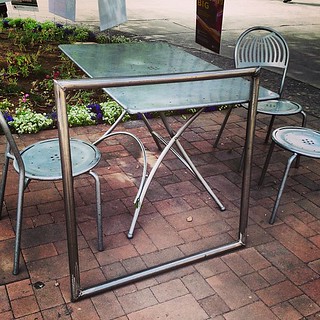
TouchDesigner | Sculpture

· 5 min read
Matthew Ragan
Pixel Pusher

In the ever growing list of tools that I'm experimenting with Derivative's TouchDesigner is a tool that time and again keeps coming up as something that's worth learning, experimenting with, and developing competencies around it's work flow. TD is a nodal environmental called a network. Inside of the network nodes can be directly connected by by exporting parameters.

Production image